Solutions · AI Cameras
Ship an AI camera product line.
A connected-camera OS for AI-first edge devices. Camera, GPU, and NPU share memory — no CPU pixel copy. Declare the pipeline in TOML; ship an ONNX or TFLite model. Up to ~100 TOPS on the AI-class tier.
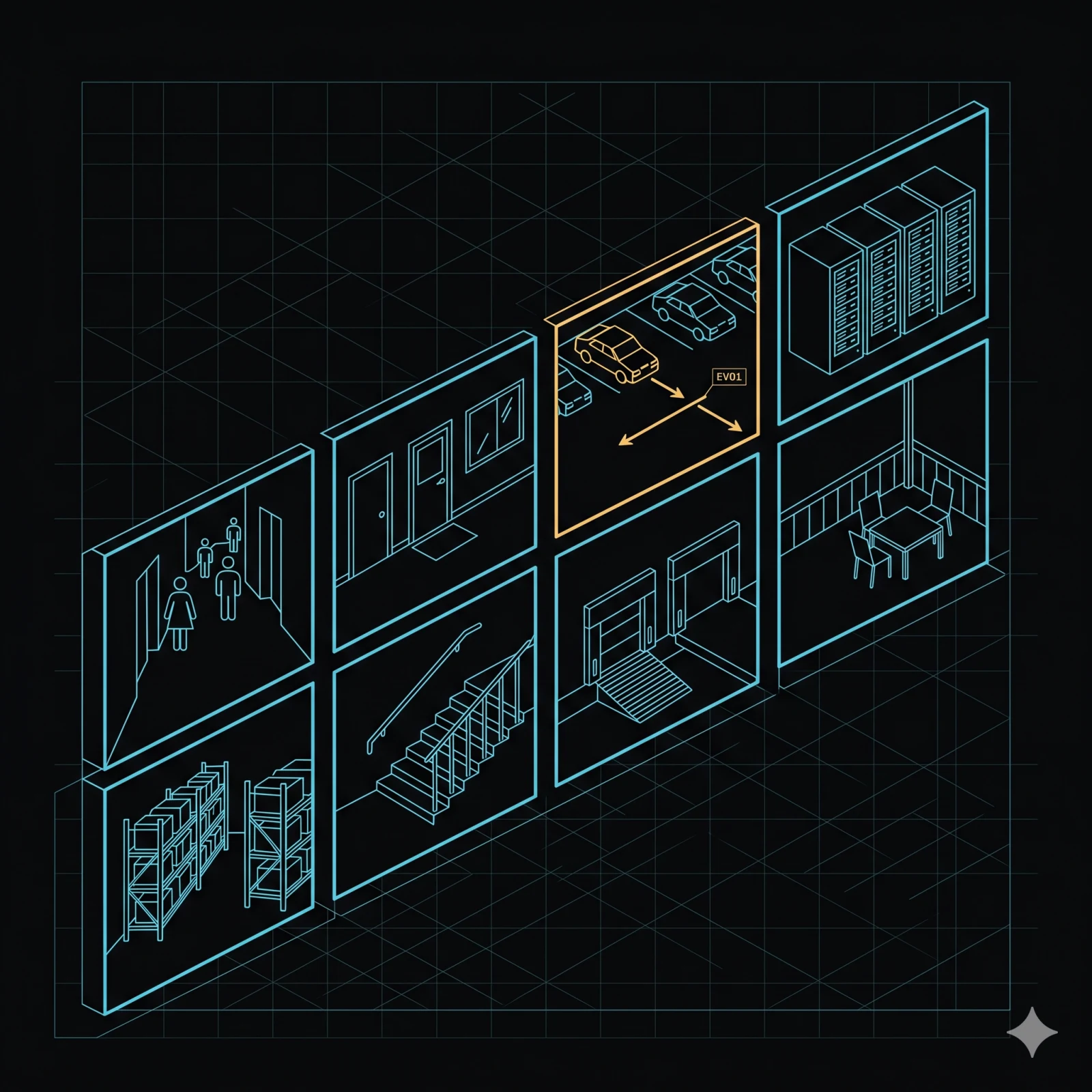
Three product shapes
One runtime. Three deployment shapes.
The same MOS4 video platform ships in three named product shapes. The six functions below run under every shape — capture, record, stream, retrieve, wake, cloud AI.
OEM camera box · fixed install · single optic
AI Cam · OEM box
Fixed-install single-optic camera with on-device AI inference. Industrial inspection, perimeter, retail anti-theft, operator vision on heavy machines. Branded by the OEM, runs on the MOS4 platform.
in-vehicle · dual optic · ADAS + DMS
Dashcam · in-vehicle
Dual-optic in-vehicle dashcam with driver assistance (ADAS), driver monitoring (DMS), and GDPR live anonymisation. Production deployments across performance vehicles, trucks, light commercial vehicles, and specialty fleets.
fleet · 3–5 cameras · operator vision
Multi-cam fleet network
Three- to five-camera arrays for delivery, ground-handling, and off-highway operator vision. Frames move directly from cameras to AI inference and recording without CPU copying. Same six functions as the single-camera shapes, fanned out across all optics.
Looking for the AI use-case catalog (DMS, ADAS, worksite & asset safety)? See AI Use Cases. Pipeline deep-dives (ROI shader, GDPR live anonymisation) live at AI Vision. Looking for the silicon ladder and hardware SKUs? See hardware and munic.io.
Function map
Pick the job. Jump to its section.
Connect any camera
Five transports — MIPI-CSI, GMSL2, USB UVC, RTSP/ONVIF, WebRTC — behind one capture-control service. Two SoC families. Hot-plug. Backend selected at runtime.
Record on event
Rolling storage with event-triggered clip protection — flagged segments are never deleted by the retention policy. Zero flash writes during normal recording. GDPR live anonymisation runs inside the capture pipeline.
Stream live
WebRTC (browser-compatible), RTSP / RTSPS, and SRT for low-latency long-haul over lossy cellular. Browser-friendly playback. Session signalling is handled by the platform — no signalling code to write.
Retrieve a clip
Seven service operations cover the full stored-media lifecycle. Stream-copy clip extraction — no decode, no re-encode. SFTP upload with server-key pinning and pre-upload payload trim.
Wake on event
Seven wake sources — Ignition, Alarm, RTC, CAN frame, Movement, Modem, Disturbance. Time-to-ready under five seconds — fast enough to catch a fleeing vehicle.
Run AI on the bytes
On-device NPU triage today; cloud AI on uploaded clips merged with the lifecycle event stream — driver behaviour, DTC, OBD position, GNSS pose. GDPR-compliant by capture-time blur.
How it fits
One pipeline, six functions.
Camera produces zero-copy frames into the frame bus; the bus fans out to encoder, NPU, and stream; encoder feeds the dashcam index, which feeds SFTP upload, which feeds cloud AI; cloud AI also receives NPU detections.
flowchart LR
  C[Camera<br/>MIPI · GMSL · UVC · RTSP · WebRTC]
  F[Frame bus<br/>shared-memory · 1:N fanout]
  E[Encoder<br/>H.264 segments]
  N[NPU<br/>on-device triage]
  S[Stream<br/>WebRTC · RTSP · SRT]
  D[Dashcam index<br/>SQLite · zero flash writes]
  U[SFTP upload<br/>host-key pinned]
  X[Cloud AI<br/>per-clip + lifecycle merge]
  C --> F --> E --> D --> U --> X
  F --> N --> X
  F --> S
Multi-camera
One to eight cameras out of the box.
Five transports behind one service API. Two hardware tiers. One to eight cameras per device is supported in the shipping runtime; higher fan-outs are available on study. Frames move through the pipeline in shared memory — every source converges on the same format, so downstream consumers (AI inference, encoder, stream) need no per-source negotiation.
Concurrent record + stream
Many camera platforms force a choice between recording locally and streaming or uploading older clips. MOS4 was designed for both at once: live encode to the flash-aware segment sink, RTSP/WebRTC stream, and historical clip upload run on the same shared-memory frame plane, no buffer duplication.
Wear-leveled storage
The segment sink is flash-aware: writes are rotated across blocks to extend endurance on premium long-exposure SKUs. Retention policies, protected clips, and the cloud-upload queue all run against the same wear-budget accounting.
| Transport | SoC backend | Notes |
|---|---|---|
| MIPI-CSI | AI-class / compute-class (libcamera) | Native MIPI; no external bridge |
| GMSL2 | AI-class (serialiser-bridge) | Serialiser-bridge path |
| USB UVC | Both | Standard V4L2 UVC class driver |
| Ethernet RTSP / ONVIF | Both | Network cameras; RTSPS via TLS |
| WebRTC (WHEP) | Both | Browser-compatible signalling |
Multiple sensors feed their per-platform backends; backends converge on a tee element with the zero-copy frame bus contract; the tee fans out to encoder, NPU, GPU ROI shader, and pose tracker.
flowchart LR
  S1[Sensor 1] --> B1[Backend<br/>per platform]
  S2[Sensor 2] --> B2[Backend]
  S3[Sensor N] --> B3[Backend]
  B1 --> T[Frame bus<br/>shared-memory · 1:N fanout]
  B2 --> T
  B3 --> T
  T --> E[Encoder]
  T --> N[NPU]
  T --> G[GPU crop/resize]
  T --> V[Pose tracker]
mos-camera-capture GStreamer pipeline end-to-end across five transports and two SoC families. Backend selected at runtime via device-tree probe.
NV12 dmabuf entry
Every backend normalises to video/x-raw(memory:DMABuf), format=NV12. CPU
pixel mapping is a spec violation in production builds.
mos-frame Cross-process SHM fanout via Linux dmabuf fd over SCM_RIGHTS. LATEST-N drop policy per subscriber — slow consumer never stalls the producer.
CaptureControlService ListDevices · ConfigureStream · StartCapture · StopCapture · GetStatus · ResetCapture — one surface for every platform.
Record on event
Record what matters. Keep what you flag.
Rolling segments roll over by storage budget. An event flag turns a segment into a protected clip — never deleted by the retention policy. GDPR anonymisation lives inside the capture pipeline, before any frame reaches the encoder.
Capture pipeline feeds the flash-aware segment sink; each closed segment fires a SegmentClosed event into the SQLite index; the retention enforcer checks protected flag and deletes oldest unprotected segments over budget; event flags call Protect service method to mark segments safe.
flowchart LR
  C[Capture pipeline<br/>encode · parse · mux] --> S[Segment sink<br/>flash-aware]
  S --> X[SegmentClosed event]
  X --> I[(SQLite segment index<br/>in-memory + snapshots)]
  I --> R{Retention check}
  R -->|protected| K[Keep]
  R -->|unprotected + over budget| D[Delete oldest]
  E[Event flag<br/>driver behaviour · DTC · ...] --> P[Protect service method]
P --> I | Knob | Default | Notes |
|---|---|---|
| segment_seconds | configurable | Segment duration; bounded by GOP and storage write batch. |
| budget_bytes | 10 GiB | Retention enforcer deletes oldest unprotected segments above this. |
| gop_seconds | configurable | Affects clip-edge slop on ExtractClip (~1–2 s). |
| anonymisation.enabled | false | GDPR live blur (in-pipeline pixelation). Reboot to toggle. |
| event_flag | 0 | Per-segment flag; protect via Protect service method to skip retention. |
mos-camera-capture Segment encoder and GDPR anonymisation stage — the GStreamer pipeline from sensor to flash-aware segment sink, including the GPU pixelation stage before the encoder.
mos-dashcam Segment index (in-memory SQLite), retention enforcer, and Protect service method — the full stored-media lifecycle without a single flash write during normal recording.
flash-aware segment sink Atomic rename on segment close — power-loss-safe segment boundary. No partial segments in the index after an unexpected shutdown.
mp4mux + h264parse + hw-encoder
Encoder pipeline selected at runtime — hardware H.264 encoder on AI-class silicon, V4L2
H.264 encoder on the other variant. h264parse normalises the bytestream; mp4mux muxes into MP4.
Stream live
Stream live to a browser, a player, or a cloud relay.
Three live paths — WebRTC (browser-compatible WHEP), RTSP / RTSPS, and SRT. SRT for low-latency long-haul over lossy cellular. The micro service handles session setup; signalling is transparent to the integration.
Camera feeds the H.264 encoder; encoder fans out to an RTSP server (rtsps:// with TLS), a WHEP endpoint, and an SRT listener; RTSP feeds VLC/ffmpeg players, WHEP feeds a browser, and SRT feeds a cloud relay.
flowchart LR
  C[Camera] --> E[Encoder<br/>H.264]
  E --> R[RTSP server<br/>rtsps:// · TLS]
  E --> W["WHEP endpoint<br/>http(s)://.../whep"]
  E --> S[SRT listener]
  R --> P1[Player<br/>VLC · ffmpeg]
  W --> P2[Browser]
  S --> P3[Cloud relay]
| Protocol | URI | Element | Use |
|---|---|---|---|
| WebRTC (WHEP) | http(s)://…/whep | whepsrc | Browser playback; embedded view in fleet UI |
| WebRTC (WS signalling) | ws(s)://… | webrtcsrc | Custom signalling server |
| RTSP | rtsp://… | rtspsrc | VLC · ffmpeg · NVR ingest |
| RTSPS (RTSP + TLS) | rtsps://… | rtspsrc protocols=tcp+srtp | TLS-validated CA bundle for production |
| SRT | srt://… | srtsink / srtsrc | Low-latency long-haul over lossy cellular |
whepsrc / webrtcsrc WebRTC source elements — WHEP offer/answer over HTTP, WebSocket signalling, ICE gathering, DTLS handshake. You supply the URI; the element negotiates the session.
rtspsrc
RTSP and RTSPS source — plain rtsp:// or TLS-validated rtsps://
with protocols=tcp+srtp. CA bundle pinned in production; development can set
tls-validation-flags=0.
SRT plumbing
SRT listener via srtsink / srtsrc — packet recovery over lossy cellular
without TCP head-of-line blocking. Long-haul to a cloud relay with no relay-side integration
code.
ICE / DTLS session establishment Full WebRTC session lifecycle — candidate gathering, STUN/TURN traversal, DTLS-SRTP key agreement. The micro service surfaces the RTP stream once the session is live; integration does not touch the handshake.
TLS validation for rtsps://
X.509 certificate chain validation, CA bundle pinning, and SRTP key derivation — all
inside rtspsrc. No OpenSSL plumbing in the integration layer.
Retrieve a clip
Pull a clip on demand. Ship it to your cloud.
Seven service operations cover the stored-media lifecycle. Stream-copy clip extraction — no decode, no re-encode, ~1–2 s edge boundary. SFTP upload with server-key pinning, path-traversal guard, and pre-upload payload trimming.
GetSegments queries the segment index by lens and time range; ExtractClip performs stream-copy extraction with ~1–2 s edge slop; Upload sends to SFTP with host-key pinning; payload is trimmed (redundant atoms removed, chunk offsets patched) before transfer. Snapshot (keyframe to JPEG ~50 ms) and Protect/Unprotect are shown as dotted-line sidepaths.
flowchart LR
  G[GetSegments<br/>by lens + time range] --> X[ExtractClip<br/>no decode · ~1–2 s edge slop]
  X --> U[Upload<br/>SFTP · host-key pinned]
  U --> M[Trim payload<br/>no re-encode]
  S[Snapshot<br/>keyframe → JPEG ~50 ms] -.-> X
  P[Protect / Unprotect] -.-> G
| Operation | Input | Output |
|---|---|---|
| GetSegments | lens, start_ts, end_ts | list of SegmentRow |
| ExtractClip | segment_id, start_offset, end_offset | clip path on disk |
| Snapshot | segment_id, keyframe_offset | JPEG path |
| Protect | segment_id | — (idempotent) |
| Unprotect | segment_id | — (idempotent) |
| Remove | segment_id | — (deletes file + row) |
| Upload | paths, destination_uri, options | upload status stream |
mos-dashcam Segment index (SQLite, in-memory with snapshots), retention enforcer, and all seven service operations — GetSegments, ExtractClip, Snapshot, Protect, Unprotect, Remove, Upload. Production-ready on internal recording paths.
splitmuxsrc ! qtmux ! filesink
GStreamer mux-only pipeline for ExtractClip — splitmuxsrc reads the source segment;
qtmux re-muxes the stream; filesink writes the output clip. No decode,
no re-encode, no pixel round-trip.
russh-sftp ring backend
SFTP upload transport — russh-sftp with a ring backend, host-key pinning, path-traversal
guard, and context-token URL substitution. Integration supplies a URI; the micro service handles
the SSH handshake and stream transfer.
mp4-reduce
Strips free and skip atoms from the MP4 container, then patches stco / co64 chunk-offset tables to keep the file valid. Reduces upload payload without
re-encoding a single frame.
dashcam-controller
White-label external dashcam integration over Wi-Fi HTTP and TCP notification.
Pending-request queue with TTL handles connectivity gaps. Distinct from
mos-dashcam — this micro service drives an external hardware unit, not the internal
recording pipeline on the MOS4 box.
mos-dashcam vs dashcam-controller
mos-dashcam is the internal recorder: it runs on the MOS4 box, owns the segment FIFO, and exposes the seven service operations documented above. dashcam-controller drives an external white-label dashcam unit over Wi-Fi HTTP and TCP notification — separate hardware, separate lifecycle, same vehicle. Both can run simultaneously; they do not share state.
Wake on event
Wake on impact. Wake on a CAN frame. Wake on a cloud command.
Seven wake sources cover the lifecycle of a parked or sleeping vehicle. Time-to-ready is under five seconds — fast enough to catch a vehicle that just started moving.
Seven wake sources — Ignition, Alarm, RTC, CAN frame, Movement, Modem, Disturbance — all feed the power manager, which brings the box to ready state in under five seconds.
flowchart LR IG[Ignition<br/>vehicle ignition signal] --> PM[Power manager] AL[Alarm<br/>external alarm input] --> PM RT[RTC<br/>scheduled wall-clock / relative timer] --> PM CA[CAN frame<br/>CAN ID match] --> PM MV[Movement<br/>accelerometer threshold] --> PM MO[Modem<br/>cloud-issued remote wake] --> PM DI[Disturbance<br/>G-sensor impact threshold] --> PM PM --> BR[Box ready<br/>< 5 s]
| Source | Trigger | Use | Time-to-ready |
|---|---|---|---|
| Ignition | Vehicle ignition signal | Standard fleet box | < 5 s |
| Alarm | External alarm input | Burglar / panic-button | < 5 s |
| RTC | Scheduled wall-clock or relative timer | Periodic health upload / end-of-day | < 5 s |
| CAN frame | CAN ID match | Wake on specific signal — harness fault / door open | < 5 s |
| Movement | Accelerometer threshold | Vehicle moves while parked → wake to record | < 5 s |
| Modem | Cloud-issued remote wake | Operator wakes for live stream / clip pull | < 5 s |
| Disturbance | G-sensor impact threshold | Crash / break-in event capture | < 5 s |
configure_wake_events Power-manager wake-source bitmask — configure which of the seven sources are active for the next sleep cycle. One call; the micro service owns the hardware register writes and source arbitration.
set_rtc_wake_time RTC wake scheduler — set a wall-clock timestamp or a relative offset for the next scheduled wake. Used for periodic health upload, end-of-day reporting, or any time-driven resume cycle.
get_wake_reason / clear_wake_reason Wake-reason read and clear — call once after resume to read the bitmask identifying the triggering source, then clear before the next sleep. The power manager owns the reason register and discriminates boot-vs-wake automatically.
boot-vs-wake discrimination The power manager distinguishes a cold boot from a wake-from-sleep at startup. Integration code sees a clean wake-reason bitmask — no raw hardware register inspection required.
request_reboot_on_idle / request_shutdown_on_idle Override-next-idle hooks — schedule a reboot or shutdown at the end of the current active window without interrupting in-flight recording or upload. The micro service waits for the idle condition before executing.
Cloud AI
On-device NPU today. Cloud AI on the bytes you upload.
On-device AI triage runs before a byte leaves the box — frames are cropped and analysed on the NPU. A Munic cloud product then runs heavier per-clip AI on uploaded segments and merges with the lifecycle event stream — driver behaviour, fault codes (DTC), OBD-II position, GNSS pose. The clip is GDPR-clean by the time the cloud sees it.
Capture with GDPR live blur feeds on-device NPU triage and the recorder segment. The segment is uploaded via SFTP as GDPR-clean bytes to cloud AI. Driver behaviour, DTC/OBD position, and GNSS pose feed the lifecycle event stream, which merges with cloud AI per-clip inference and outputs to the fleet dashboard.
flowchart TD
  CAP[Capture<br/>GDPR live blur at capture time] --> NPU[NPU triage<br/>GPU crop + on-device inference]
  CAP --> REC[Recorder segment<br/>anonymised clip]
  REC --> UPL[SFTP upload<br/>GDPR-clean bytes]
  UPL --> CAI[Cloud AI<br/>per-clip inference]
  DRV[Driver behaviour] --> LS[Lifecycle event stream]
  OBD[DTC / OBD position] --> LS
  GNS[GNSS pose] --> LS
  LS --> CAI
  CAI --> DSH[Fleet dashboard]
On-device triage runs before a byte leaves the box — region-of-interest extraction plus NPU inference discard irrelevant frames. What reaches the cloud is already anonymised and already filtered. Cloud AI runs heavier per-clip models and merges with the AI Funnel lifecycle event stream for fleet-scale driver behaviour and incident correlation.
mos-roi-shader Vulkan ROI extraction with dmabuf-to-NPU zero-copy on supported AI-class silicon — no CPU pixel copies in the AI hot path. Regions of interest are extracted and delivered to the NPU without leaving the accelerator memory domain.
mos-ai-runtime .tflite NPU inference on AI-class silicon — multi-model concurrent execution across NPU slices, managed by the micro service. Bring your .tflite model file; the runtime handles scheduling, memory, and result delivery.
AI Funnel Cloud retraining, quantisation, and OTA model delivery — managed by the AI Funnel pipeline. Retrained models land on the device without a firmware update cycle. Integration code is not required to wire the feedback loop.
lifecycle event correlation A time-trustworthy flag is attached to each lifecycle event — driver behaviour, fault codes (DTC), OBD-II position, GNSS pose. Cloud AI uses the flag to reject ambiguous timestamp matches before merging with clip inference results. GDPR posture is documented at /platform/compliance.
Scope boundary
A specific Munic cloud product provides the per-clip inference and lifecycle merge described in this section. Product name, pricing, and cloud architecture are outside the scope of this page — that conversation starts with engineering. Use the CTA below to connect.
Catalog of AI use cases
DMS, ADAS, and fleet safety — the full catalog.
Driver monitoring, drive assistance, worksite safety, and asset security — each an on-device model fused with live vehicle telemetry, with room to grow. Bring your own model or have one trained from your footage.
See the full AI use-case catalog →FAQ
Frequently asked questions
-
Does the video stack run on modem-class hardware?
Capture and dashcam recording ship on compute-class devices. NPU inference (GPU crop, on-device AI runtime) requires AI-class silicon — there is no CPU fallback in production.
-
Where does GDPR anonymisation happen?
Inside the capture pipeline, before any frame reaches the encoder, the AI runtime, or any consumer. Recorded segments are already compliant; downstream consumers receive pre-blurred frames.
-
Do I have to write any encoder or pipeline code?
No. The camera capture micro service owns the video pipeline end-to-end — start, stop, error recovery, hot-plug — across five transports and two hardware tiers.
-
How is the white-label external dashcam different from internal recording?
mos-dashcam is the internal recorder; dashcam-controller drives external white-label dashcam hardware over Wi-Fi HTTP and TCP notification. Both can compose on the same vehicle.
Bring two cameras and a use case.
Capture transport, record strategy, live protocol, wake source, AI model, deployment shape — bring what you have and we will sketch the pipeline during the call. Multi-cam fleets across autonomous vehicles also pair with Remote Care.